Security
Users, roles and two factor
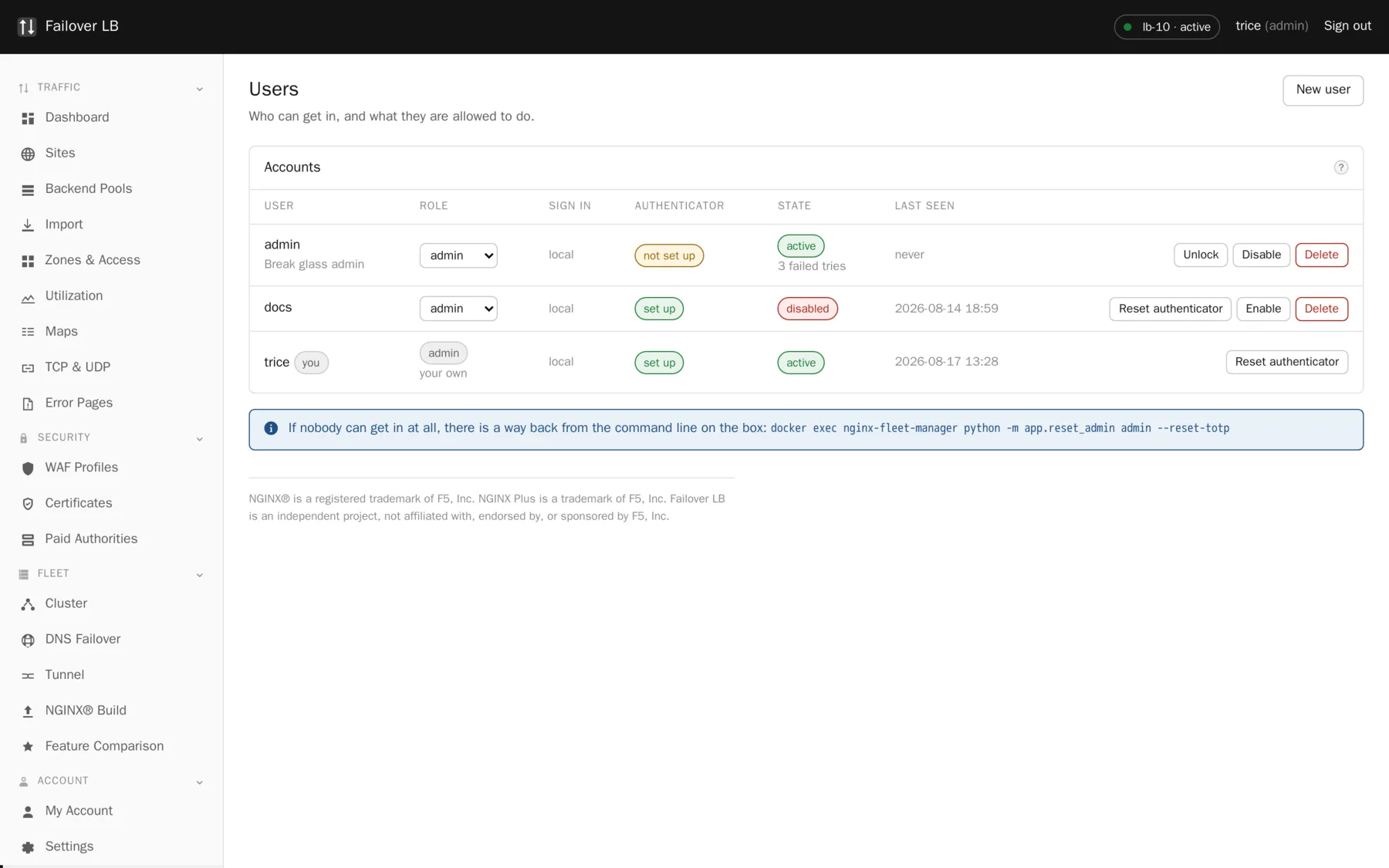
Anybody who can sign in here can change where all of your traffic goes. That is worth a few minutes of thought about who has an account and what each of them is allowed to do.
The three roles
| Role | Can do | Right for |
|---|---|---|
| Viewer | Look at everything and change nothing. | Most people, including anybody who only needs to check whether something is up. |
| Operator | Change sites, pools and certificates, and apply. | The people who run the service day to day. |
| Admin | Everything, including users, the cluster and failover. | A small number of people. |
Give people the smallest role that lets them do their job. It is easy to raise somebody later and awkward to explain an outage caused by an account that did not need the rights it had.
Two factor is not optional
Everybody with a local account has to set up an authenticator app. A password on its own is not enough to reach a screen that can move all of your traffic somewhere else.
Any authenticator works: Google Authenticator, Microsoft Authenticator, 1Password, Aegis, or anything else that scans a standard code. If the phone cannot scan, there is a line of characters underneath to type in by hand.
Recovery codes
Shown once, and never again
Each code works a single time in place of a code from your app. They are how you get back in if your phone is lost, broken, or in another building. Save them somewhere that is not your phone. A password manager is good. Printed and put in a drawer is also fine. Codes stored only on the device you might lose are not doing the job they exist for.
Making a fresh set cancels every old code immediately, including any you wrote down. Do it when you are down to one or two, and save the new list before closing the page.
When somebody leaves
Turn the account off rather than deleting it. Turning it off ends their sessions immediately, so a browser they left open somewhere stops working. Keeping the account means the audit log still makes sense, because entries against a deleted user are much harder to follow a year later.
The one job the screen cannot do
Getting an administrator back in when they have lost their phone and used all their recovery codes. There is nobody inside the tool who can help, because the tool is the thing they cannot reach.
sudo docker exec nginx-fleet-manager \
  python -m app.reset_admin --list

sudo docker exec nginx-fleet-manager \
  python -m app.reset_admin alice --reset-totp
It needs administrator access to the machine, which anybody who has it could use to read the database anyway, so it hands out nothing new. Every use is written to the audit log as coming from the console, which is exactly the sort of thing that should stand out when somebody reads the log later.
What is shared and what is not
Accounts are shared across every node, so you add somebody once. Things that belong to one machine, such as how many times a password has been typed wrongly, stay on the machine that saw it.
Common questions
Can I turn two factor off?
Not for local accounts. If your organization runs its own identity provider, use single sign on instead and let the provider decide what a second factor looks like.
How long do sessions last?
Sixty minutes by default, set in the environment file. Changing your password ends every other session immediately.
Can two people have the same role?
Yes, as many as you like. Roles are not seats.
Step by step instructions
The how to section has searchable, task shaped answers. Search it for user.