Certificates and TLS
Certificate lifecycle
Certificates are the part of running a website that fails on a schedule, quietly, and always at the worst time. This is the page about keeping track of them.
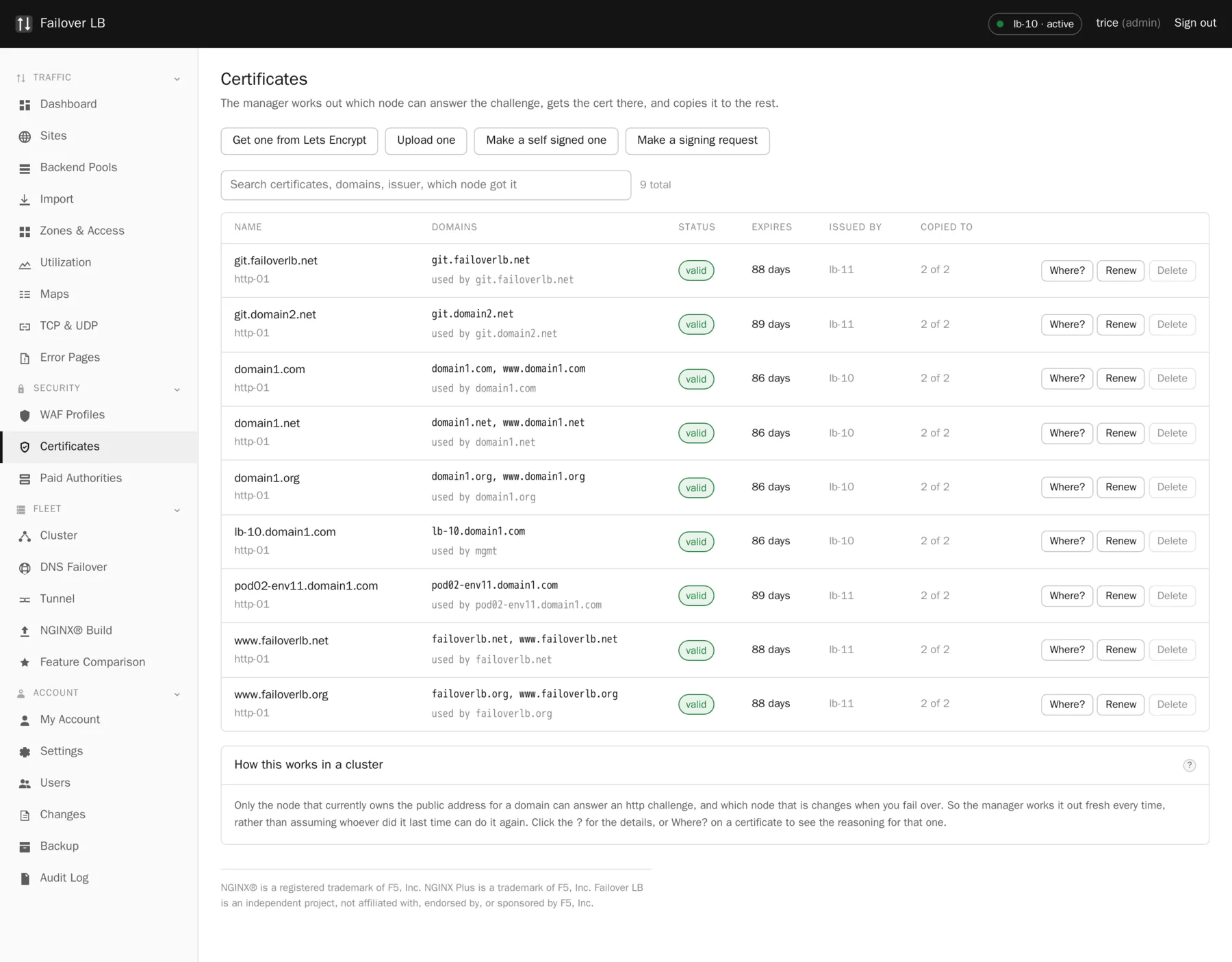
Four ways to get one
| If you want | Use | Renewal |
|---|---|---|
| Something free that renews itself | Let's Encrypt | Automatic |
| To use a certificate your company already bought | Upload one | By hand, every time |
| To buy from a particular supplier, automatically | Set up a paid authority | Automatic |
| Something for testing on your own systems | Make a self signed one | Not applicable |
Uploading one you already have
Paste in the certificate and its private key. Two things are checked before anything is saved:
- The key really matches the certificate. This catches the single most common upload mistake, at the point of pasting rather than at the point a site stops working.
- Intermediates are put in the right order. Which is the second most common mistake, and the one that only breaks for some visitors on some devices, which is much harder to diagnose.
Making a signing request
If your supplier needs a certificate signing request, make one here. Choose a key length of 2048 or 4096. Both are fine: 2048 is faster and 4096 is what some auditors ask for.
You get a block of text to send to the supplier. The private key is made here and stays here. That is the point of doing it this way rather than letting somebody else generate the key and mail it to you. When the certificate comes back, find the request in the list, press Paste Certificate, and paste in what they sent.
Self signed certificates
Never on a public site
A self signed certificate makes every browser show a warning, because nothing has vouched for it. It is fine for testing and for something only your own systems talk to, such as the management screen before you have put a real name in front of it. It is never right for a site the public visits.
Replication across the fleet
Every certificate lands on every node, however it was obtained. The page shows how many nodes hold a copy, so a certificate that only made it to one node is visible rather than a surprise at the next failover.
Private keys are written with mode 0600, owned by root, by the host agent. The manager container itself cannot write to that folder.
Deleting
A certificate that is not being used by any site can be deleted. One that is in use cannot, and the page tells you which site is using it. Deleting a certificate a site depends on would stop that site working at the next apply, and the two events would be far enough apart that nobody would connect them.
Watching expiry
The dashboard warns weeks ahead. The certificates page shows days remaining per certificate. Paid certificates are the ones to keep an eye on, because they usually last a year rather than ninety days, so a renewal problem can sit unnoticed for a long time.
Common questions
Can one certificate be used by several sites?
Yes, as long as the names on it cover those sites. A wildcard certificate on ten subdomains is a common and sensible arrangement.
What happens if a certificate expires anyway?
Browsers refuse the site. The dashboard will have been warning for weeks, and the certificate list will show the failed renewal attempts and why they failed.
Are keys included in a backup?
Yes. That is why the backup archive is encrypted and why the page says plainly that the file is equivalent to your private keys.
Step by step instructions
The how to section has searchable, task shaped answers. Search it for certificate.
Related features
Let's Encrypt certificates
Free certificates that renew themselves, in a cluster.
Read morePaid certificate authorities
Buy from DigiCert or Sectigo and still automate it.
Read moreBackup and restore
One encrypted file that rebuilds the fleet somewhere else.
Read moreTLS settings
Protocols, ciphers, stapling and HTTP/2 or HTTP/3.
Read more