Fleet
Change history and rollback
The answer to "what did I just do" nearly every time. It is quick, it needs no files, and it works while you are still standing there wondering.
Two different questions
| Question | Answer |
|---|---|
| Undo the change I just made | Go back to the previous version on this page. Seconds. |
| Get everything back after losing a machine | Backup and restore. Minutes. |
What is saved but not live
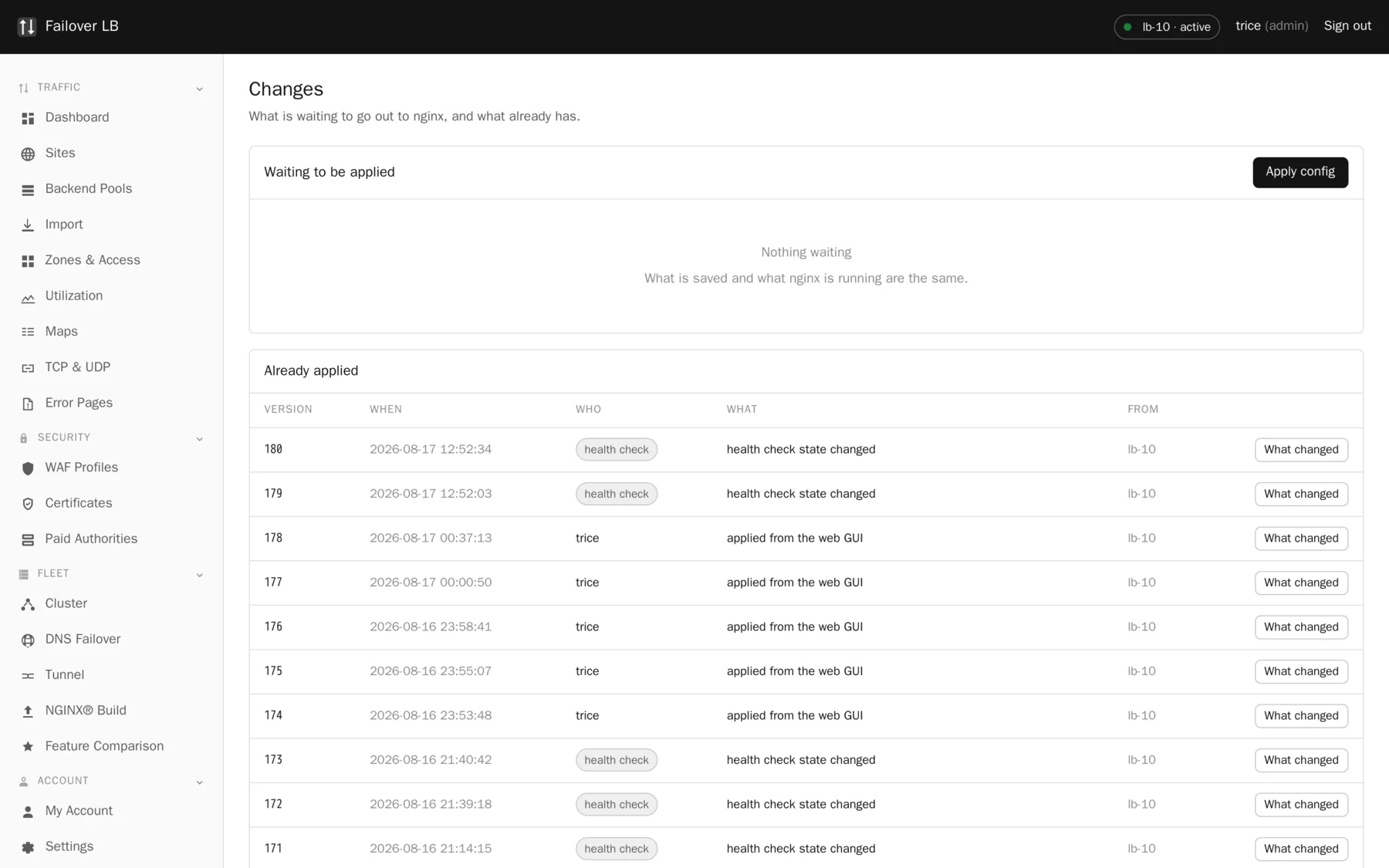
The top of the page shows what you have saved that nginx is not running yet, and what it would change. Read it before applying, particularly if somebody else has been working on the same thing, because you are about to make their changes live along with your own.
Going back
Every applied version is kept with its number, when it happened, who did it and which node it came from. Putting an earlier one back applies it exactly the way any other change is applied: built, checked, staged on every node, tested, and only then swapped in.
That means a rollback cannot break the fleet either, which is worth knowing at the moment you most want to press the button and least want to think about it.
The copy on disk
Before every apply, the previous nginx configuration is saved on each node in
/var/backups/nginx-fleet-manager. That is what makes an apply safe to roll back even
if the management screen is not running at all, which is the case you care about when something
has gone badly wrong.
A habit that makes this useful
Small applies. A version that contains one change is a version you can put back with confidence. A version that contains nine changes, one of which broke something, means rolling back eight things you wanted in order to undo one you did not.
Common questions
How many versions are kept?
Enough to cover any realistic rollback. The list is on the Cluster page and the Changes page.
Does rolling back undo certificate issuance?
No. Certificates are not part of the rendered configuration in that sense. Rolling back changes which certificate a site uses, not whether a certificate exists.
Can I see what changed between two versions?
Yes, the page shows what changed for each version.
Step by step instructions
The how to section has searchable, task shaped answers. Search it for rollback.