From three empty machines to a working cluster, on MySQL or MariaDB. One command
decides which one you get. The rest of the procedure is the same either way.
What you need
You need
Why
Three Linux machines
Two works and survives nothing. Debian and Ubuntu
22.04 or newer are what the installer is written for.
Root on each, through sudo
It adds packages, writes config and starts services.
Docker and Docker Compose
The manager runs in a container. The installer stops if they are missing.
About 6 GB free
Only if you choose MariaDB, which is compiled from source. Percona
installs from packages and needs a fraction of that.
Ports
Port
For
Who reaches it
3306
Client connections
Your applications
4567
Galera between nodes
The other nodes only
4568
Sending missed writes
The other nodes
4444
The full copy when a node joins
The other nodes
8443
The web interface
Your staff, or a load balancer
8444
Managers talking to each other
The other nodes
Careful
Close 4567 to everything but the nodes.
Galera does not authenticate who joins its group. A machine that reaches that port
and names your cluster is admitted by Galera itself, holding no token and no
certificate, and nothing in this software is consulted. The firewall is the whole of
the defense.
That installs the host agent, builds the manager's image, writes a settings file and
starts it. The last lines tell you where the interface is and that there is no database
yet, which is correct at that point.
2. Sign in
sudo docker compose logs | grep -A6 'first admin'
The first password is printed once and never shown again. Open the interface on port
8443 over https. You will be asked to set up an authenticator and then to change the
password, in that order, and neither can be skipped.
3. Build the database
This is the one real choice on the page. Two servers, one command apart. Pick one and
use it on every node: a cluster is all of one or all of the other, and a join of the
wrong one is refused rather than allowed to become a cluster that disagrees with itself
about what SQL means.
MariaDB
sudo /opt/mariadb-installer.sh install
MariaDB 11.4.5 with Galera 26.4.24, compiled on the
machine. Twenty minutes or so, and about 6 GB of scratch space while it builds.
Compiling is what makes every node genuinely identical, rather than whatever
version a distribution happened to ship that week.
MySQL
sudo /opt/mysql-installer.sh install
Percona XtraDB Cluster 8.0, from Percona’s packages. A couple of
minutes and very little disk. Percona is what MySQL means here: Oracle’s MySQL
has no Galera in it, so there is nothing in it to cluster.
There is a button on the Server Build page that does the same thing if you would rather
watch it from the interface. On the machine that is starting the cluster it goes on to
start the server, clear the accounts a fresh install leaves open, and make the account
the manager reads the database with.
Worth knowing
Percona publish
packages for particular distribution releases and not for every one. If yours is too
new the installer stops and lists the releases that do exist, with the exact command
to build against the nearest:
Nearly all of it. The choice changes what runs underneath. It does not change the
procedure, the interface, or the way the cluster behaves when something breaks.
Step
MariaDB
MySQL
Install the manager
The same command on both
Sign in, authenticator, first password
The same pages, in the same order
Build the server
mariadb-installer.sh
mysql-installer.sh
Add the second and third machines
The same ticket, the same join command
Run it day to day
The same dashboard, backups, accounts, grants, graphs and
audit log
Lose a machine
The same: the other two carry on, and nothing fails over
What is different
Worth reading once, so that nothing later is a surprise. The interface covers all of
it, and after the build you will rarely think about it again.
MariaDB
MySQL
Where the server comes from
Compiled from source
Percona’s packages
How long the build takes
About twenty minutes
A couple of minutes
Free disk it wants
About 6 GB
A fraction of that
Releases it runs on
Anything it will compile on
Only releases Percona publish for
Service name
mariadb
mysql
Command line client
mariadb
mysql
How a joining node is copied
mariabackup
xtrabackup-v2
Traffic between nodes
Plain, on a port only the nodes can reach
Encrypted, and every node has to hold the same certificates
4. Restart the manager
cd /data/docker/mysqlcluster && sudo docker compose up -d
The Dashboard now shows a cluster of one, taking writes.
The second and third machines
Install exactly as before, including building the database, and build the same one you
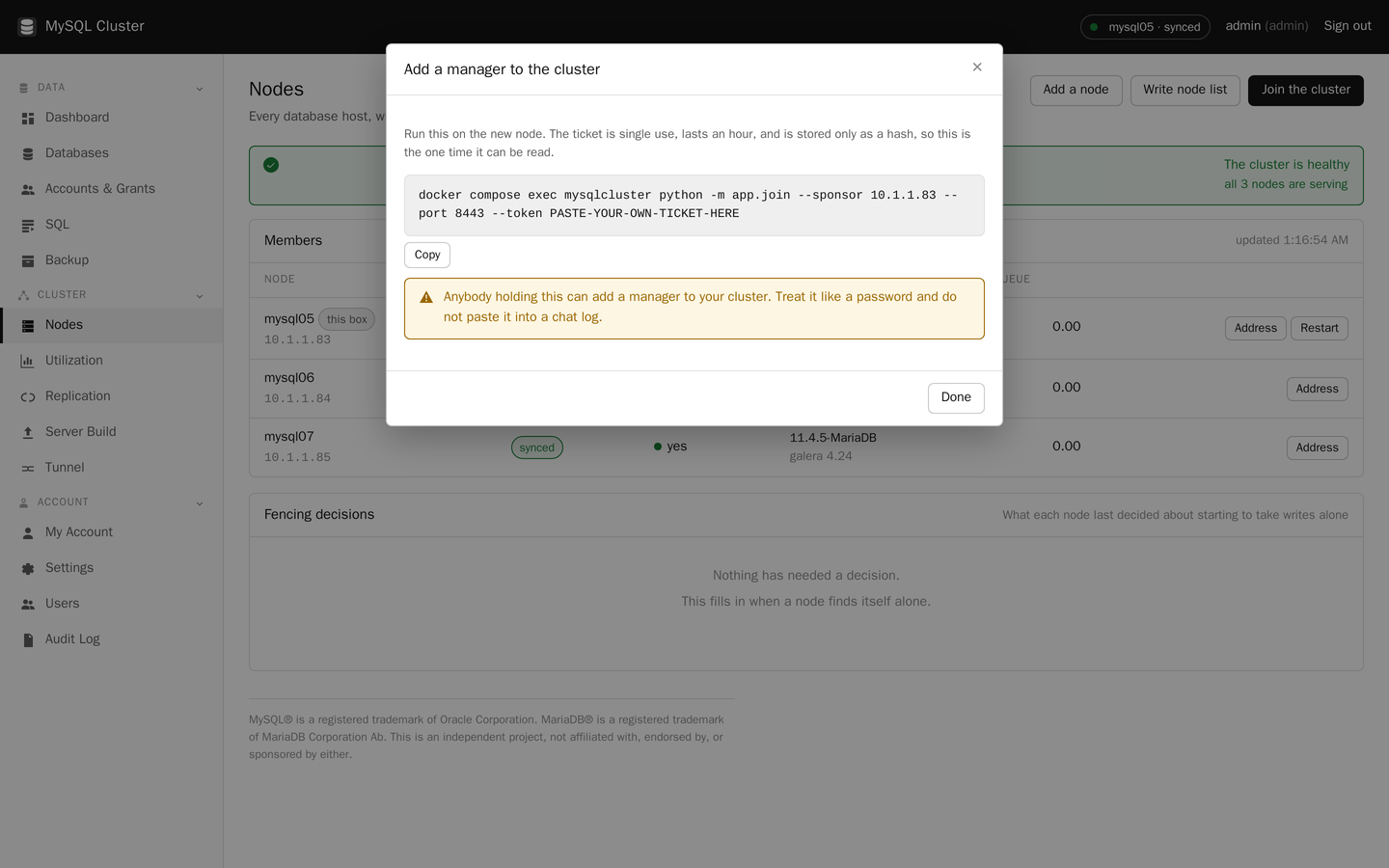
built first. Then take a ticket from the first machine's Nodes page and run what it
gives you.
MySQL only
Percona encrypts what
the nodes say to each other, and every node has to hold the same certificates or it is
not let into the group. Each install makes its own set, so the first machine's set is
the cluster's set. On the first machine:
sudo /opt/mysql-installer.sh export-certs
Copy the file it names to the new machine, put it in place, and restart the server:
sudo /opt/mysql-installer.sh import-certs /var/lib/mysqlcluster/cluster-certs.tar.gz
sudo systemctl restart mysql
Treat that file like a private key, because it holds two. MariaDB needs none of
this.
The ticket works once and lasts an hour. The Copy button takes the whole line.
The Nodes page shows it as Joining while it copies the data, then Synced. On an empty
cluster that is seconds. Repeat for the third machine; nothing about it is different.
Worth knowing
A freshly built machine starts as its own cluster of one, because it cannot tell
whether it is going to start a cluster or join one. That is expected, and joining
replaces it. Do not put such a machine into a load balancer before it is joined: it
reports itself healthy and serves an empty database.
Check it actually works
Three greens is encouraging. Writing a row on one machine and reading it on another is
proof, and it takes ten seconds.
The client is called mariadb on a MariaDB cluster and mysql on
a MySQL one. The SQL is the same. Use whichever name your cluster has.
# On the first node
sudo mysql -e "CREATE DATABASE IF NOT EXISTS check_it;
  CREATE TABLE IF NOT EXISTS check_it.t (id INT PRIMARY KEY);
  REPLACE INTO check_it.t VALUES (1);"

# On another node
sudo mysql -e "SELECT * FROM check_it.t"

# Then tidy up
sudo mysql -e "DROP DATABASE check_it"
The row is there on the second machine because it was there before the write on the
first one was confirmed. That is the whole point of the thing, and it is the same on
both servers.
The manual has the rest
122 pages: every screen, every setting, troubleshooting, and how big the machines
should be.